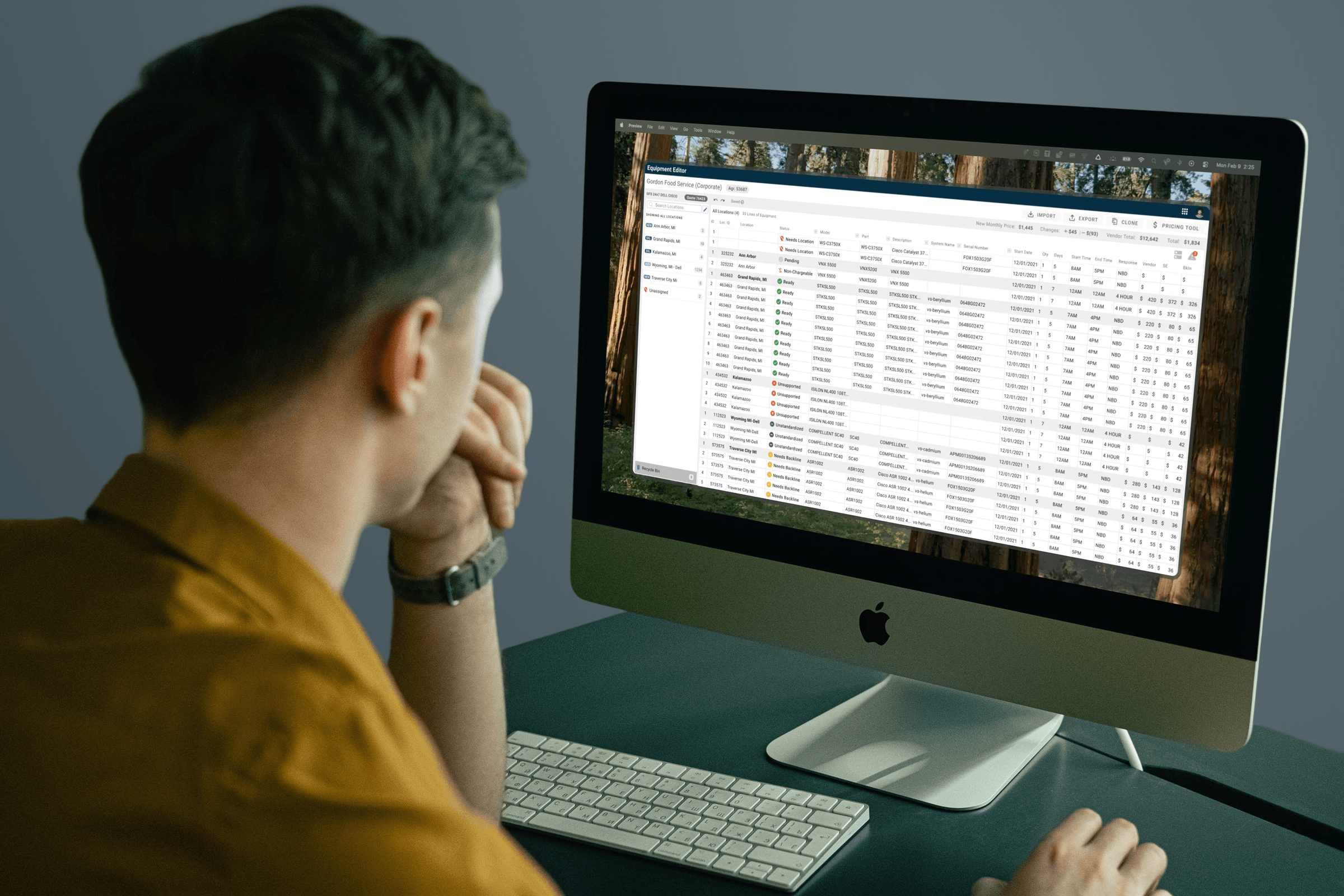
Equipment Editor
Redesigned a decade-old quoting tool used by 300+ sales reps daily, replacing a nested workflow with an Excel-native interface that matched how the team actually worked.
Role
Lead Product Designer
Team
Design, Engineering, Sales Operations, Stakeholders
Timeline
12 Months
Company
Service Express
The Starting Point
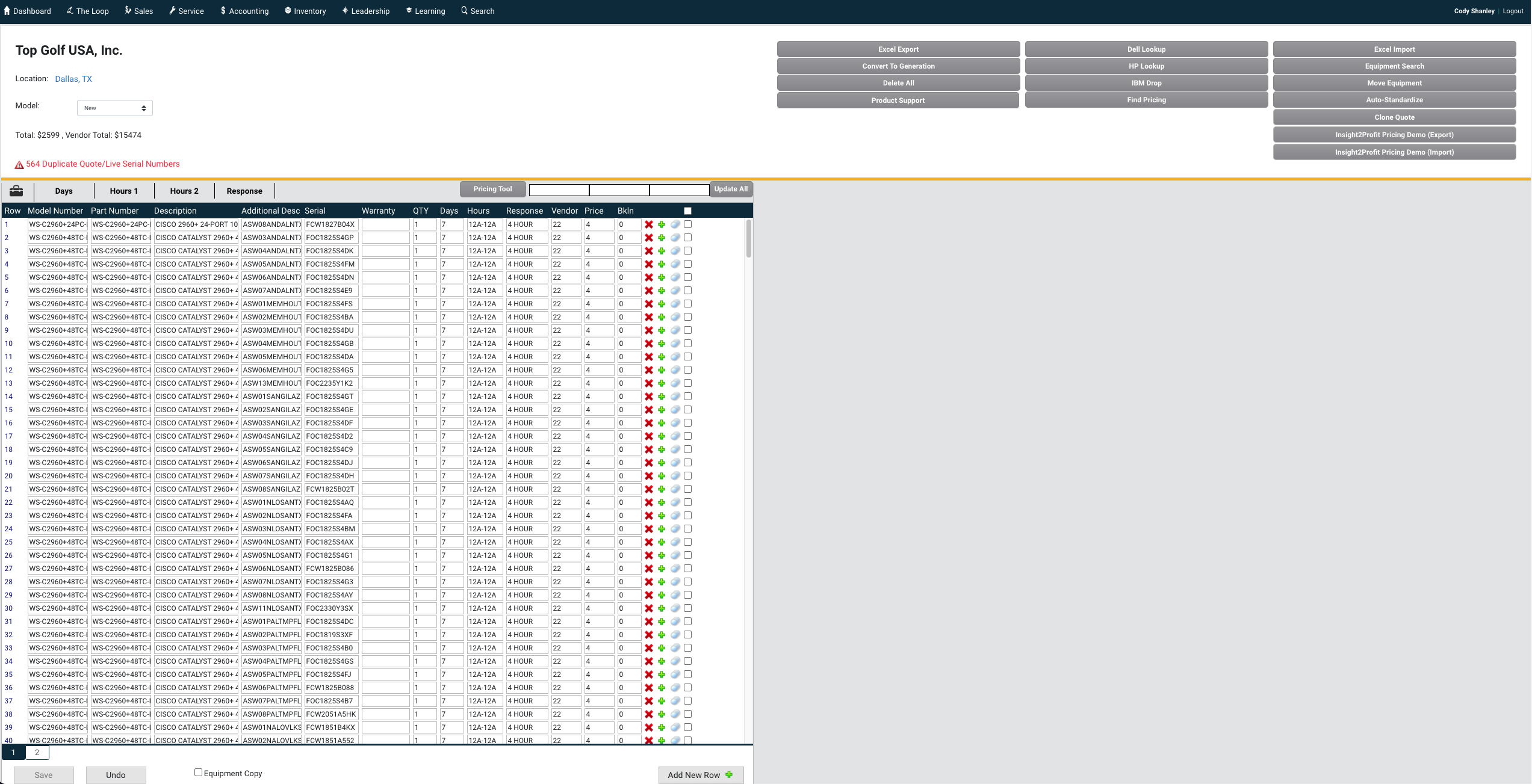
The equipment editor had been around for over a decade. A small dev team built it with no designers involved, and it showed. The workflow was clunky, the interface was confusing, and new employees had an especially rough time learning it.
Over 300 people used this tool every day, averaging 45 minutes per session. Small improvements in efficiency could add up to thousands of hours saved.
How People Actually Worked
Spending time with sales reps and watching them use the tool revealed a few things that shaped the entire redesign.
New hires got hit the hardest. Power users had built muscle memory around the quirks, but onboarding someone new was painful. There was no intuitive path through the quoting process.
Everyone thought in Excel. Users lived in spreadsheets. They exported quotes to Excel. They organized data in rows and columns. Any design that fought that approach was going to lose.
One location at a time was a bottleneck. The old editor only let you work with one equipment location at a time. For multi-site quotes, that meant repeating the same steps over and over. This was probably the biggest frustration I heard from users.
Paper Sketches to Prototype
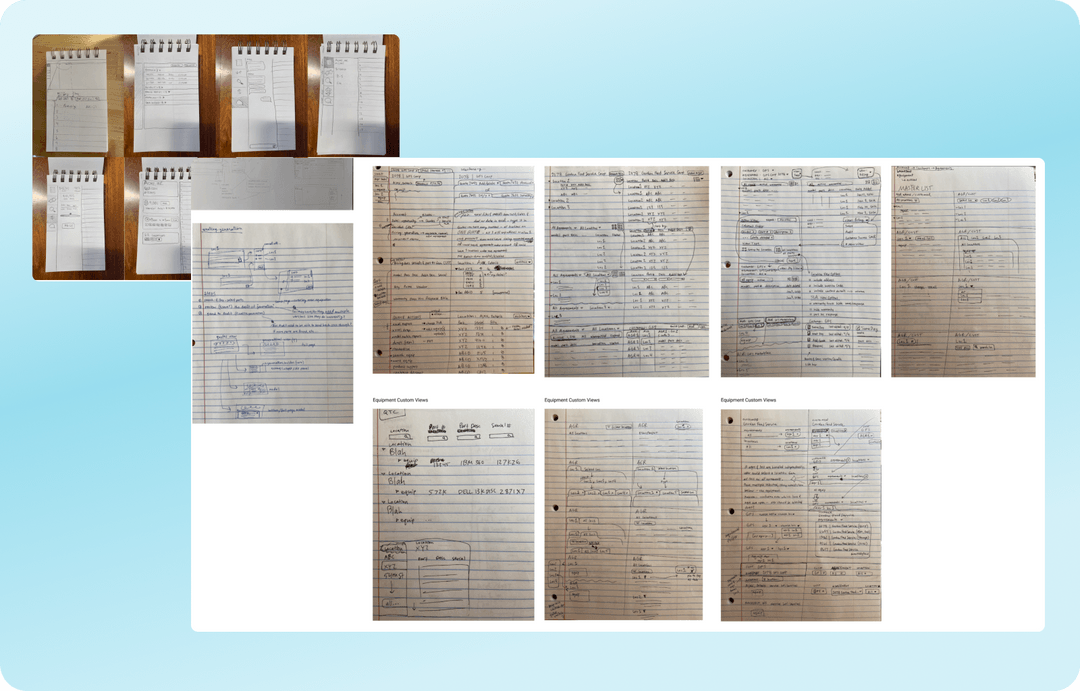
We started with pencil sketches, rough wireframes of table layouts and navigation ideas. Getting concepts in front of stakeholders early and cheaply, before investing real design time, was the goal.
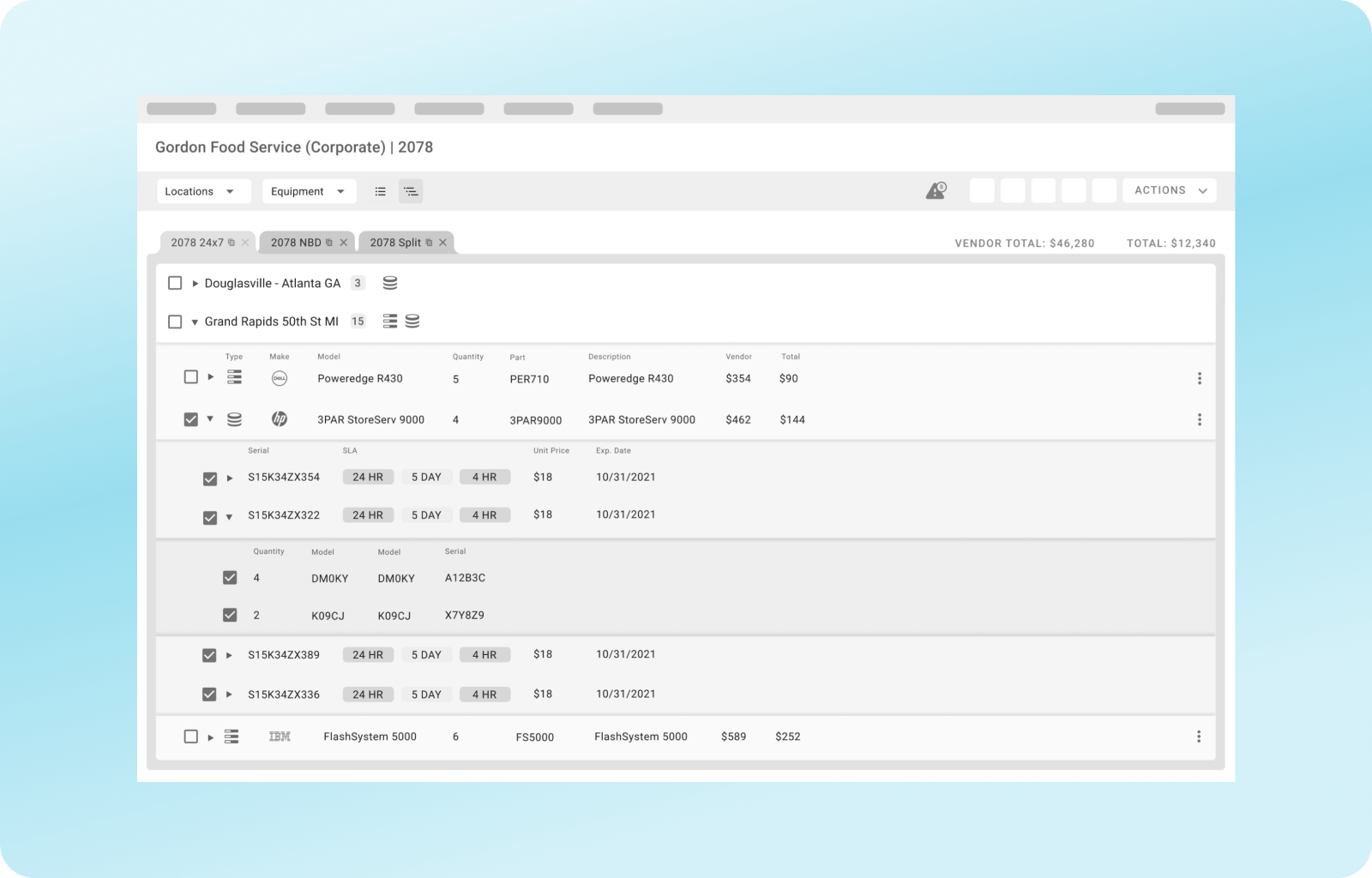
Based on early user feedback, the first real prototype organized equipment in a nested hierarchy: locations as collapsible groups, open quotes as tabs. It made logical sense on paper.
"We Just Want Excel"
The nested view got decent feedback, but stakeholders pushed back. Quotes get exported to Excel at the end of the process, so why should the editor look completely different from the output? They wanted the input to match the output.
Fair point. We scrapped the nested approach and pivoted to a spreadsheet-style layout.
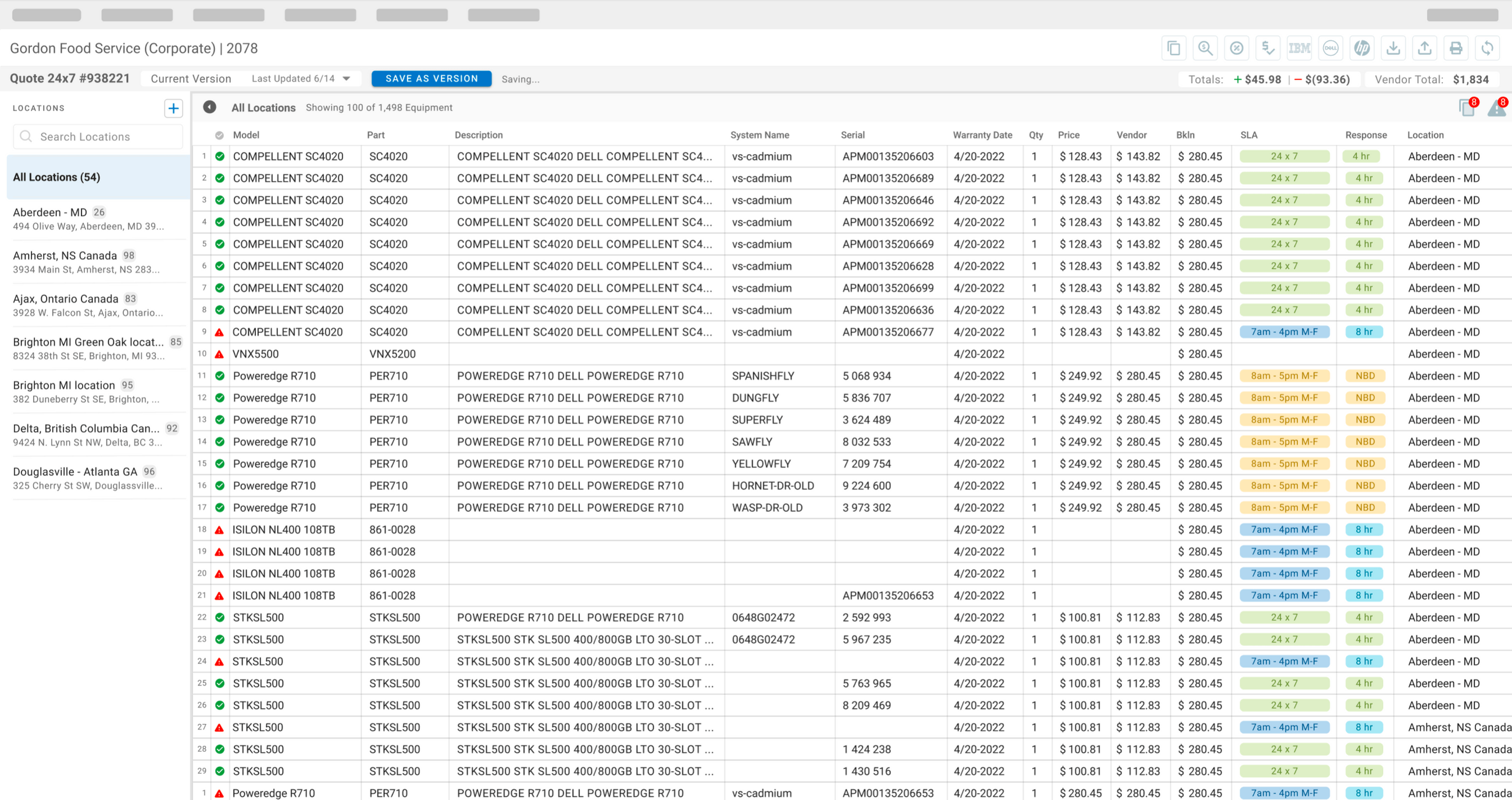
The Final Design
Two features defined the final product.
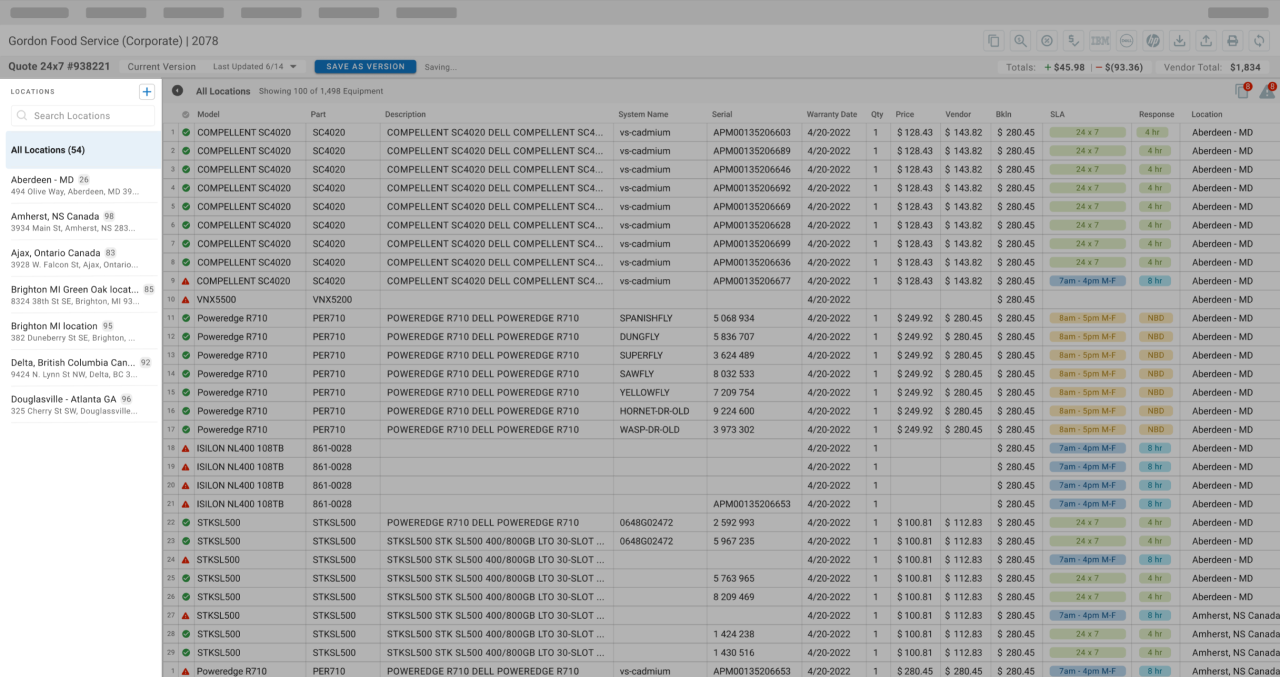
The locations sidebar let users filter and select multiple equipment locations at once. This got the biggest reaction from stakeholders. People had been dealing with the one-location-at-a-time limitation for years.
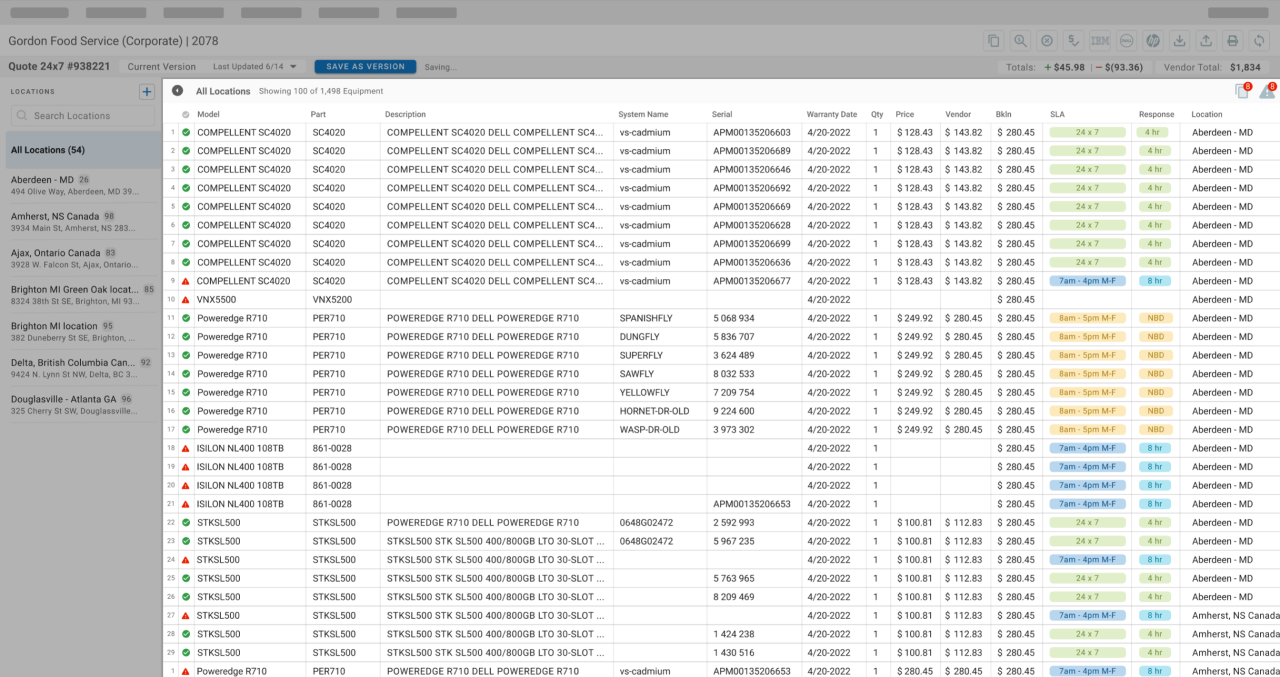
The equipment table brought actual Excel-like functionality into the browser: sorting, filtering, inline editing, multi-select. I worked with our dev team to find a framework that could handle all of that, not just display data. That's what got stakeholders on board.
Results
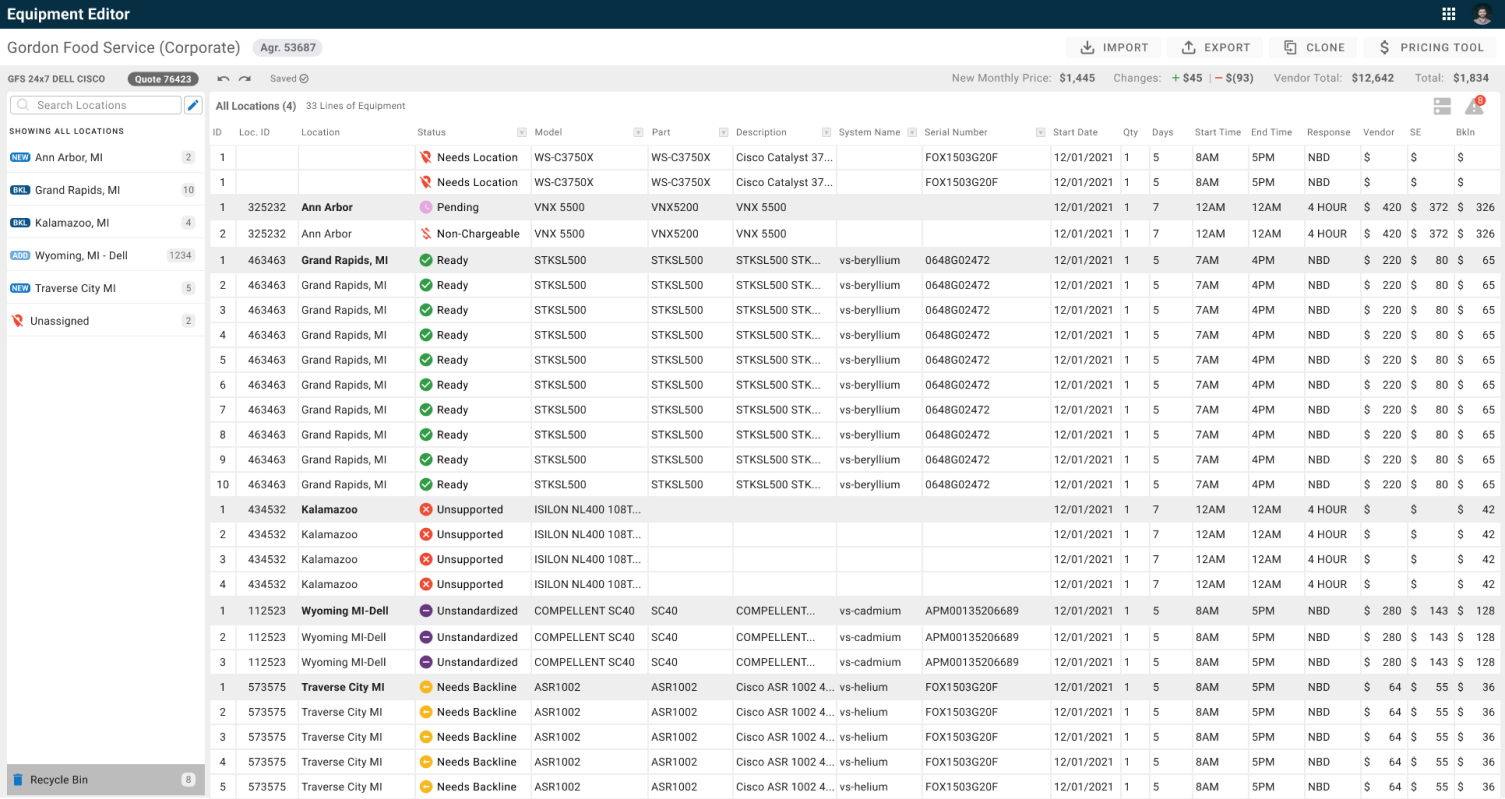
The redesigned editor shipped to all 300+ daily users. The multi-location sidebar alone eliminated the most common complaint in years of internal feedback. New hires could build a quote on their first day with little to no hand-holding, something that previously required days of shadowing. The Excel-native layout meant users stopped exporting mid-workflow to manipulate data in a spreadsheet; they could do everything in the tool itself.
What I learned
The central lesson from this project was about humility in the face of user behavior. The nested hierarchy I designed first was a better information architecture on paper, but the people using this tool 45 minutes a day thought in rows and columns. Designing for the "correct" structure would have meant designing against the user.
The stakeholders were right to push back, and I should have gotten to that insight earlier through observation instead of requiring the feedback. That same lesson applied to the design process itself: showing rough pencil sketches to stakeholders felt risky, but it turned out to be the most efficient feedback loop of the project. People reacted more honestly to something that obviously wasn't finished. By the time we showed polished mocks, the big questions were already answered.